
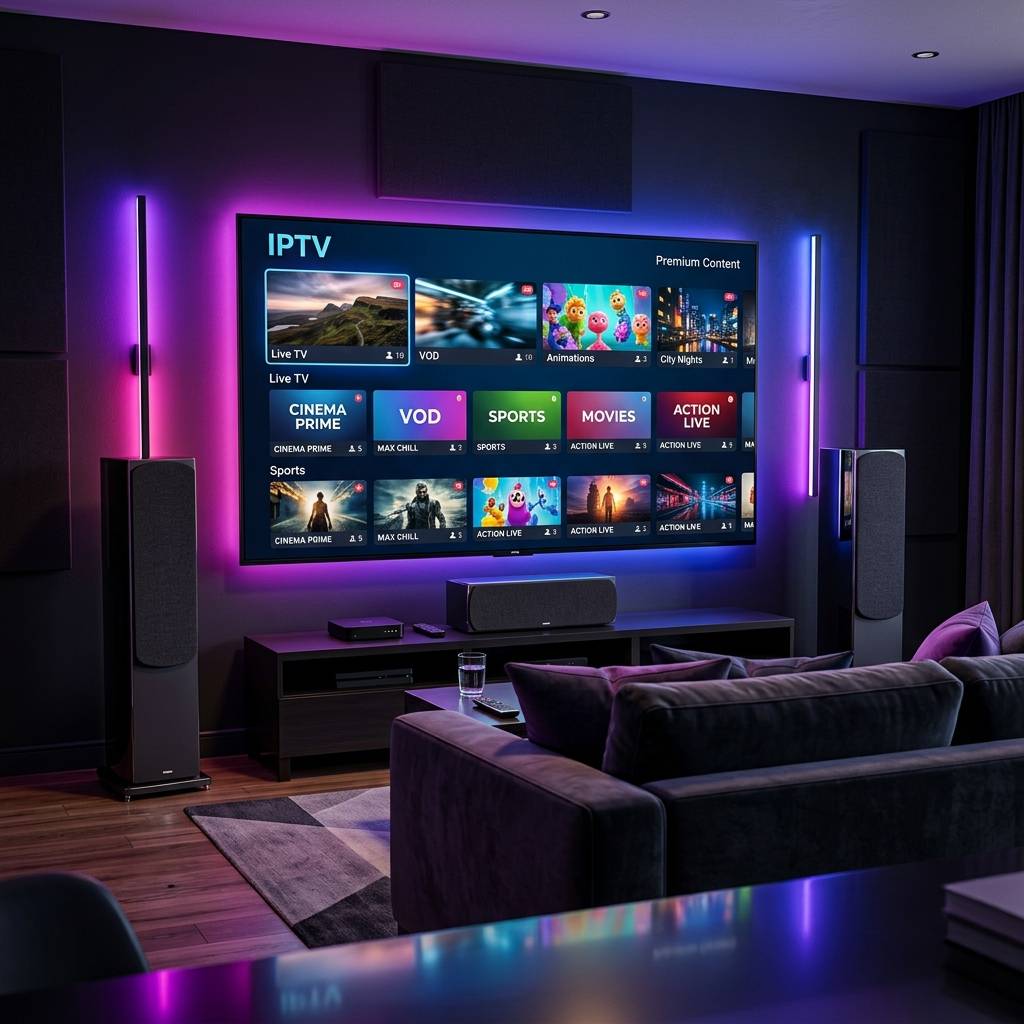
Internet Speed for Streaming and How to Test Your Connection on Any Provider in 2026

Why Internet Speed Is the Foundation of Every Streaming Experience
Every pixel of video that appears on your television screen during a live broadcast or on-demand movie playback traveled across the internet as digital data packets before reaching your streaming device. The speed at which those packets arrive determines whether you experience smooth, crystal-clear high-definition entertainment or frustrating buffering wheels, resolution drops, and audio stuttering that ruin the viewing experience.
Internet speed for streaming purposes is measured in megabits per second of downstream throughput, representing the volume of incoming data your connection delivers during each second of active transfer. A higher throughput number means more video data arriving per second, enabling higher resolution frames, greater color depth, and smoother motion rendering. When throughput drops below the minimum required for the active stream quality, the media player exhausts its pre-loaded buffer cache and must pause playback while waiting for additional data to arrive.
The critical distinction that most consumers overlook is the difference between advertised plan speed and actual delivered throughput. Your internet service provider markets a connection as delivering two hundred or five hundred megabits per second, but this number represents the theoretical maximum capacity of the connection under ideal laboratory conditions. Real-world delivered speeds are consistently lower due to network congestion, WiFi signal degradation, router processing limitations, and infrastructure sharing with neighboring subscribers. Understanding how to accurately measure what your connection actually delivers to your streaming devices is the essential first step toward eliminating speed-related quality problems.
How to Accurately Test Your Internet Speed on Any Device
Running a meaningful speed test requires more than opening a browser and clicking a start button. The accuracy of your results depends entirely on testing methodology, and most casual tests produce misleadingly optimistic numbers that do not reflect the performance your streaming device actually experiences.
For the most accurate baseline measurement, connect a computer directly to your router or modem using a wired Ethernet cable and run a speed test from a reputable independent testing platform. This wired test eliminates all WiFi variables and measures the raw throughput your internet service provider delivers to your premises. Record the download speed, upload speed, and ping latency numbers as your baseline reference.
Next, run the identical test from the same computer connected via WiFi at the exact location where your streaming device sits. The difference between your wired baseline and your WiFi result reveals precisely how much throughput your wireless connection loses to signal degradation, interference, and distance from the router. If your wired test delivers three hundred megabits but your WiFi test at the television location delivers only forty megabits, you have identified a significant wireless bottleneck that directly impacts streaming quality.
Finally, if your streaming device supports a built-in speed test application or a browser-based test, run the measurement directly on that hardware. This device-level test reveals the actual throughput available to your streaming player after accounting for the device's own WiFi antenna quality, processing overhead, and network stack efficiency. This final number is the true benchmark that determines your streaming quality ceiling.
ISP Specific Speed Test Tools and When to Use Them
Major internet service providers maintain their own proprietary speed testing platforms that measure throughput between your connection and their nearest network infrastructure node. These ISP-specific tools serve a different diagnostic purpose than independent third-party tests and provide valuable complementary data when troubleshooting streaming performance.
Running a google fiber speed test on a Google Fiber connection measures throughput against Google's own network backbone, revealing whether the fiber-optic infrastructure delivering service to your premises operates at its rated capacity. Similarly, a frontier speed test on a Frontier broadband connection measures performance against Frontier's regional network servers, isolating whether the local infrastructure meets the plan specifications you are paying for.
For cable broadband subscribers, the optimum speed test and speed test cox diagnostics reveal performance against their respective regional cable network infrastructure. These tools help identify whether service degradation originates within the ISP's own network or further upstream in the broader internet routing path. A wifi speed test xfinity run directly through the provider's proprietary gateway application provides additional diagnostics including individual device connection quality scores and WiFi channel utilization metrics.
Regional providers maintain their own testing infrastructure as well. The speed test optimum tool serves subscribers across the northeastern service footprint, while the wow speed test serves WideOpenWest broadband customers across midwestern and southeastern markets. The speed test frontier diagnostic serves Frontier fiber and DSL subscribers across their national coverage area. Using your specific ISP's testing tool alongside an independent third-party measurement creates a complete diagnostic picture that pinpoints exactly where performance bottlenecks exist in your connection chain.

Bandwidth Requirements for Every Streaming Quality Tier
Different video quality levels demand vastly different sustained bandwidth allocations. Understanding the specific throughput threshold for each quality tier allows you to determine whether your measured internet speed supports the resolution you expect to see on your television display.
Standard definition video at 480p resolution requires a modest three to five megabits per second of continuous downstream throughput. This minimal bandwidth requirement makes standard definition accessible on virtually any modern broadband connection including basic DSL and mobile hotspot connections. However, standard definition produces visibly soft, pixelated images on any television display larger than thirty-two inches, making it acceptable only as a fallback during severe bandwidth constraints.
High definition at 720p requires eight to ten megabits per second and delivers noticeably sharper images suitable for secondary bedroom and kitchen televisions. Full high definition at 1080p demands fifteen to twenty megabits per second and represents the standard quality expectation for primary living room entertainment. The visual difference between 720p and 1080p is immediately apparent on displays forty inches and larger, with 1080p delivering dramatically sharper text, crisper facial details, and smoother motion rendering during fast-action sports broadcasts.
Ultra-high-definition 4K streaming operates in a completely different bandwidth category, requiring thirty to fifty megabits per second of sustained stable throughput depending on the source encoding bitrate. Premium live sports broadcasts and reference-quality movie streams at the highest available bitrates can demand forty to sixty megabits per second for artifact-free rendering. At these demanding throughput levels, even brief momentary speed dips cause visible macro-blocking artifacts and frame drops that are impossible to ignore on large-format displays.
WiFi Optimization Techniques That Dramatically Improve Streaming Throughput
For the majority of streaming households where running Ethernet cables to every television is impractical, optimizing your WiFi infrastructure provides the most impactful performance improvement available without changing your internet plan or purchasing new streaming hardware.
Router placement is the single most influential factor in WiFi streaming performance. Radio signals weaken exponentially with distance and suffer severe attenuation when passing through dense construction materials like concrete walls, brick partitions, and metal framing. Position your router in the most centrally located room of your home at an elevated position, ideally on a high shelf or mounted on a wall, with the antennas oriented vertically for maximum horizontal signal distribution.
Channel selection on the 2.4 GHz and 5 GHz bands significantly affects throughput in residential environments where dozens of neighboring networks compete for limited radio spectrum. Access your router administration panel and manually select the least congested channel rather than relying on automatic channel selection algorithms that may not update frequently enough to avoid newly activated neighboring networks. On the 2.4 GHz band, channels one, six, and eleven provide the only non-overlapping frequency allocations. On the 5 GHz band, significantly more non-overlapping channels are available, reducing interference probability substantially.
For households with persistent WiFi dead zones at television locations, a mesh WiFi system replaces your single router with multiple coordinated access points distributed throughout your living space. Each mesh node maintains a dedicated high-speed wireless backhaul connection to neighboring nodes while providing strong local coverage to nearby streaming devices. Modern mesh systems deliver consistent throughput across multi-story homes that single routers cannot adequately cover.
Detecting ISP Throttling That Silently Destroys Your Streaming Quality
A particularly insidious cause of degraded streaming performance that no amount of WiFi optimization or hardware upgrades can resolve is deliberate bandwidth throttling imposed by your internet service provider. ISP throttling selectively reduces throughput to specific types of internet traffic, targeting sustained video streaming connections while leaving web browsing and standard speed tests completely unaffected.
Detecting throttling requires comparing streaming performance with and without an encrypted network tunnel active on your streaming device. Without encryption, your ISP's deep packet inspection systems can identify video transport stream traffic by analyzing protocol signatures and destination server addresses. With an encrypted tunnel active, all traffic appears as indistinguishable encrypted data that the ISP cannot classify or selectively throttle.
If your streams play flawlessly at full resolution with encryption active but suffer constant buffering and resolution drops without encryption, your ISP is definitively throttling your streaming traffic. This practice is especially common during peak evening hours between seven and eleven PM when residential network utilization reaches maximum capacity and ISPs prioritize bandwidth allocation away from high-consumption streaming connections.
Maintaining a permanent encrypted tunnel on your streaming device or configuring encryption at the router level for your entire home network permanently defeats ISP throttling. The modest latency overhead of encryption, typically adding five to fifteen milliseconds of additional round-trip delay, is completely imperceptible during video streaming and represents a worthwhile trade for guaranteed access to the full broadband speed your monthly bill pays for.

When Your Internet Plan Simply Is Not Fast Enough and What to Upgrade
After optimizing WiFi placement, selecting optimal channels, connecting critical devices via Ethernet where possible, and eliminating ISP throttling through encryption, some households discover that their underlying internet plan simply does not provide sufficient raw bandwidth for their streaming demands. Recognizing when optimization has reached its limits and a plan upgrade is the only remaining solution prevents endless troubleshooting of a problem that configuration changes cannot resolve.
A household with a single television streaming standard HD content needs only fifteen to twenty-five megabits per second. A household with two televisions streaming simultaneously while a teenager games online and a remote worker conducts video conferences needs one hundred megabits per second minimum. A household with four or more active streamers including 4K content, active gaming, frequent large file downloads, and multiple smart home cameras uploading footage needs two hundred to five hundred megabits to maintain quality across all concurrent activities.
When upgrading your internet plan, prioritize connection stability and latency consistency over raw headline speed numbers. A fiber-optic connection delivering three hundred megabits with rock-solid consistency outperforms a cable connection advertising five hundred megabits that fluctuates wildly during peak hours. Fiber infrastructure provides symmetrical upload and download speeds with minimal latency variation, creating the ideal foundation for demanding real-time streaming workloads that cannot tolerate the throughput fluctuations inherent in shared cable network architectures.
Building a Speed Monitoring Routine That Prevents Future Problems
Rather than waiting for buffering problems to interrupt your evening entertainment before investigating internet speed, establishing a proactive monitoring routine identifies performance degradation early and enables preemptive resolution before it impacts your viewing experience.
Schedule monthly speed tests during both off-peak morning hours and peak evening periods. Record the results in a simple spreadsheet or notes application alongside the date, time, and testing method. Over several months, this log reveals performance trends that expose gradual infrastructure degradation, seasonal congestion patterns, or ISP network changes that progressively reduce your delivered throughput below streaming-quality thresholds.
Many modern mesh WiFi systems and advanced routers include built-in automated speed testing that runs daily measurements and presents historical performance graphs through companion smartphone applications. Enabling this automated monitoring provides continuous visibility into your connection health without requiring manual testing discipline. When the automated system detects throughput dropping below your configured acceptable threshold, a push notification alerts you to investigate before the degradation reaches a level that impacts visible streaming quality.
If your monitoring reveals a sustained decline in delivered speed that falls significantly below your contracted plan specifications, contact your internet service provider with documented evidence showing timestamped test results over multiple weeks. Providers are contractually obligated to deliver reasonable performance relative to advertised plan speeds, and documented evidence of sustained underperformance strengthens your case for either technical remediation or plan credit compensation. Proactive monitoring transforms you from a reactive victim of mysterious buffering into an informed consumer who maintains complete visibility and control over the network foundation that powers your entire household entertainment ecosystem.
Frequently Asked Questions
Ready to get started?
Try our service risk-free with a 24-hour free trial.
Related Articles

Understanding EPG: The Essential Guide for IPTV Users
Explore the concept of EPG and its benefits for IPTV users.
Firestick Storage and Speed Optimization The Complete Fix Guide 2026
A deep-dive technical troubleshooting guide for resolving sluggish performance on Amazon streaming sticks. Covers internal storage recovery, aggressive cache management, bloatware removal, and network tuning for stutter-free 4K playback.
Firestick Bluetooth Audio Setup and Troubleshooting Guide 2026
A complete technical guide for connecting Bluetooth headphones, earbuds, and wireless speakers to Amazon Fire TV streaming devices. Covers pairing procedures, audio codec optimization, latency troubleshooting, and private listening configurations.