
Discover the Best IPTV Canada Subscriptions for 2026: A Complete Guide

Canadians are cutting the cord faster than ever, and for good reason. Cable bills pushing $150/month, bloated channel packages you never asked for, and RSN blackouts that somehow still manage to block your own local hockey team. If you've landed here, you're probably already convinced that IPTV Canada is the move, but you're not 100% sure how to get it running cleanly on your device without buffering every five minutes or losing your playlist after a provider update. This guide covers everything from picking the right app to locking in your M3U URL so you never lose your stream mid-period again.
Getting your IPTV Canada setup right the first time saves you hours of frustration. A misconfigured app or a weak network setup leads to constant buffering, freezing on live sports, and audio sync issues, problems that are 100% preventable with the right foundation.
Core Concepts Every Canadian IPTV User Needs to Know
- M3U Playlist / M3U URL: This is the file link your IPTV provider gives you. It contains every channel, VOD title, and stream organized in a format that apps like TiviMate and IPTV Smarters Pro can read. Guard it like a password.
- Xtream Codes API: An alternative login method where instead of a long M3U URL, you enter a server address, username, and password separately. More stable than raw M3U links for large channel lists.
- EPG (Electronic Program Guide): The TV guide overlay inside your app. Canadian providers should give you an EPG URL so you can see what's on TSN2 or Sportsnet Pacific without guessing.
- ISP Throttling: Bell, Rogers, and Telus are known to throttle streaming traffic, especially during peak evening hours (7 to 11 PM EST). This is the number one cause of unexplained buffering on otherwise fast connections.
- VPN: A Virtual Private Network encrypts your traffic so your ISP can't detect and throttle your IPTV streams. Essential for Canadian users on major ISPs.
- Buffer Size Settings: Inside TiviMate and other apps, you can increase the buffer from the default to 8 to 16 MB. This pre-loads more stream data and smooths over minor connection hiccups.
- Minimum Speed Requirements: 10 Mbps per stream for HD, 25 Mbps for 4K. If others in your home are streaming or gaming simultaneously, multiply accordingly.
Step-by-Step Guide: Setting Up IPTV Canada on Your Firestick
- Step 1: Enable Apps from Unknown Sources:
- Go to your Firestick Home screen and navigate to Settings, My Fire TV, Developer Options. Toggle Apps from Unknown Sources to ON. Without this, you cannot install third-party IPTV apps. If you're on a newer Fire TV OS, you may also need to enable ADB Debugging in the same menu.
- Step 2: Install the Downloader App:
- From the Firestick Home screen, go to the search bar and type Downloader. Select it from Amazon's app store and click Download. This free app lets you sideload APK files that aren't in the Amazon store. Open it once installed and grant storage permissions when prompted.
- Step 3: Download TiviMate or IPTV Smarters Pro:
- Inside the Downloader app, tap the URL bar and type in the direct APK download link for TiviMate (available from tivimate.com) or IPTV Smarters Pro. Hit Go, wait for the download to complete, then tap Install. Once installed, open the app.
- Step 4: Add Your M3U Playlist or Xtream Codes Credentials:
- In TiviMate, tap Add Playlist on the welcome screen. Choose either M3U Playlist (paste your full M3U URL from your provider) or Xtream Codes (enter the server portal URL, your username, and your password exactly as provided, one wrong character breaks the connection). In Smarters Pro, tap Add User and select your login method. Tap Add or OK to load the playlist.
- Step 5: Add Your EPG Source:
- Inside TiviMate, go to Settings, Playlists, select your playlist, EPG. Paste the EPG URL your Canadian IPTV provider gave you. Set the refresh schedule to Every 24 Hours. This populates your program guide with Canadian TV schedules including TSN and CBC Sports.
- Step 6: Increase the Buffer Size for Stable Streams:
- In TiviMate, go to Settings, Player, Video Player, Buffer Size. Change this from the default (usually 2 MB) to 8 MB or 16 MB. For live sports in particular, this prevents the freeze-and-spin that happens when your connection momentarily dips. On IPTV Smarters, look for Streaming Mode and switch it from Auto to HLS for Canadian providers that use adaptive bitrate delivery.
- Step 7: Connect a VPN Before Streaming:
- Download ExpressVPN, NordVPN, or Surfshark from the Amazon App Store directly. Open your VPN app and connect to a Canadian server (Toronto or Montreal work best for low latency). Connect the VPN before launching TiviMate. This prevents Bell and Rogers from identifying and throttling your stream traffic during peak hours.
- Step 8: Test Your Setup with a Live Channel:
- Browse to a live Canadian channel, TSN 1, Sportsnet, or CBC, and let it play for at least 2 minutes. Watch for any rebuffering events. If the stream is smooth, you're done. If it spins, jump to the Troubleshooting section below.
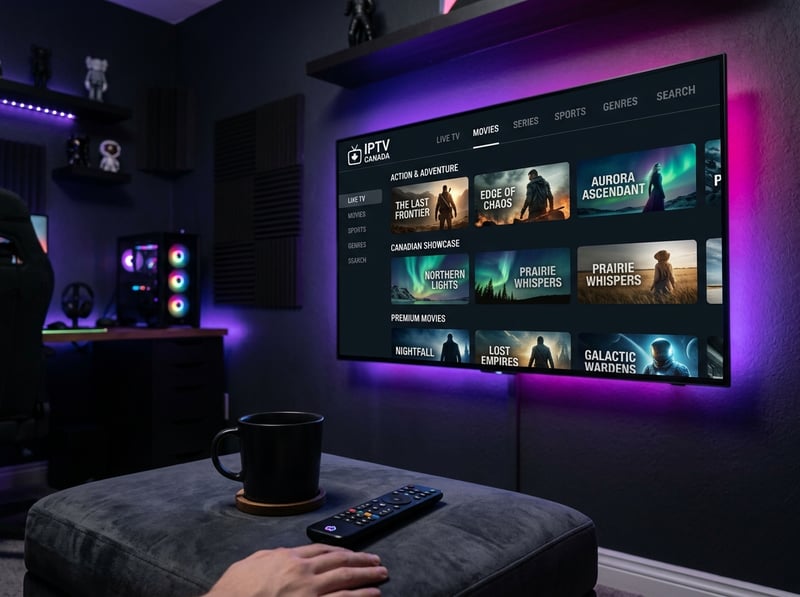
Picture this: it's Game 7, overtime, your favorite team is in the crease, and your stream freezes for 45 seconds because Rogers flagged your traffic as a P2P stream. That scenario plays out for thousands of Canadian cord-cutters every week who skipped the VPN step. Another common nightmare is a provider going dark mid-season with no refund, leaving users scrambling to re-setup everything. Knowing these risks going in lets you build a setup that survives them.
Best VPNs to Stop ISP Throttling for IPTV Canada
- ExpressVPN: Consistently the fastest VPN for Canadian streaming. Their Lightway protocol delivers 400 to 600 Mbps on a gigabit connection, which means zero impact on your 4K IPTV streams. Canadian server locations in Toronto, Montreal, and Vancouver.
- NordVPN: Excellent choice for Firestick users specifically. Their dedicated Fire TV app is polished, and their NordLynx protocol keeps latency low enough for live sports. Meshnet feature lets you set it up once and share across all home devices.
- Surfshark: The best budget option at under $3/month on a 2-year plan. Unlimited simultaneous devices means every TV, phone, and tablet in your home is protected. Canadian servers perform well for IPTV traffic during peak hours.
- What to look for in a VPN for IPTV: No-logs policy, kill switch enabled, Canadian server availability, and speeds above 100 Mbps on their fastest protocol. Avoid VPNs that don't publish independent speed audits.
TiviMate vs. IPTV Smarters Pro: Which App Is Right for You?
- TiviMate: The gold standard for Firestick and Android TV boxes. The interface feels like a proper smart TV guide, the catch-up TV feature works beautifully with Canadian providers that support it, and the buffer controls are the most granular of any free or premium IPTV player. The premium upgrade ($4.99/year) unlocks multiple playlists, which is worth every cent.
- IPTV Smarters Pro: Better for users who switch devices frequently. It runs on iOS, Android, Smart TVs, and Windows, and the Xtream Codes login syncs your setup across platforms. The interface isn't as polished as TiviMate, but the multi-screen layout works well for watching one channel while browsing another.
- GSE Smart IPTV: Deserves a mention for Apple TV and iPad users who want Canadian channels without jailbreaking anything. It handles M3U playlists cleanly and supports multiple EPG formats.
- Bottom line: If you're primarily on Firestick or an Android TV box, install TiviMate and don't look back. If you're on iOS or need cross-platform access, Smarters Pro is your best bet.
Common Setup Mistakes and How to Fix Them
- Playlist failed to load error: 99% of the time this is a URL typo or an expired subscription. First, contact your provider to confirm your sub is active. Then copy-paste the M3U URL fresh from your welcome email rather than retyping it.
- Channels load but no EPG data appears: Your EPG URL is wrong or the refresh hasn't run yet. Go to TiviMate Settings, Playlists, your playlist, EPG, delete the existing URL, re-paste it, save, and force a manual refresh. Wait 3 to 5 minutes.
- Canadian channels show but US channels are missing: Your provider may have geo-locked US content for Canadian IPs. Connect your VPN to a US server (New York or Chicago) and reload the playlist. This unlocks US network channels included in your package.
- Audio and video out of sync on live sports: This is almost always a player codec issue. In TiviMate, go to Settings, Player and switch from the built-in player to VLC or MX Player. Download the external player first, then set it as default inside TiviMate's player settings.
- App crashes when loading large playlists: Some Canadian providers have 10,000+ channels in a single M3U file. Firestick's limited RAM struggles with this. Ask your provider for a filtered M3U URL that includes only Canadian and US channels, most will accommodate this request.
Network Requirements for 4K IPTV Streaming in Canada
- For HD (1080p) streaming: A minimum of 15 Mbps dedicated to the stream. In practice, aim for 25 Mbps household speeds so other devices don't compete during peak usage.
- For 4K UHD streaming: You need at least 40 to 50 Mbps free bandwidth per stream. This means if you're on a 100 Mbps plan and two people are streaming 4K simultaneously, you're right at the edge. Upgrade to gigabit if your household streams heavily.
- Wired Ethernet always beats Wi-Fi: Plug your Firestick or Android TV box directly into your router with an Ethernet adapter (USB-C to Ethernet for Firestick 4K Max). Wi-Fi introduces packet loss and latency spikes that cause intermittent buffering even on fast plans.
- Router placement matters: If you're using Wi-Fi, your streaming device should be in the same room as your router or connected via a mesh node placed nearby. Walls and floors cut 5 GHz signal dramatically.
- Enable QoS on your router: Quality of Service settings let you prioritize streaming traffic over other devices. Log into your router admin panel (usually 192.168.1.1), find QoS settings, and give your Firestick or TV box the highest priority. This single change dramatically reduces buffering during family peak hours.
Troubleshooting: Fixing the Most Common IPTV Canada Buffering Issues
- Rule out your internet speed first: Run a speed test on speedtest.net directly from your streaming device (not your phone). If you're getting under 20 Mbps, the problem is your network, not your IPTV setup.
- Test with VPN on vs. VPN off: If streams buffer without VPN but are smooth with it connected, ISP throttling is confirmed. Keep the VPN running permanently while using IPTV.
- Clear your app cache: On Firestick, go to Settings, Applications, Manage Installed Applications, TiviMate, Clear Cache. Do this once a week. Cache buildup causes sluggish performance and occasional app freezes.
- Restart your router and streaming device: Sounds basic, but router memory fills up over days of continuous use. A weekly restart keeps your connection fresh and clears any routing hiccups.
- Contact your IPTV provider: If a specific Canadian channel is buffering but others are fine, the issue is server-side. A good provider will fix stream quality issues within hours if you report them through their support channel.

Canadian cord-cutting has never been more practical or more rewarding, and with the right IPTV Canada provider, a properly configured Firestick or Android TV box, a reliable VPN running in the background, and the buffer settings dialed in, you get every hockey game, every TSN panel show, and every CTV drama for a fraction of what Rogers or Bell charges. Set it up right once and you won't look back, so check out our full channel list and pricing plans to get started today.
Frequently Asked Questions
Ready to get started?
Try our service risk-free with a 24-hour free trial.
Related Articles

TiviMate Companion Account Setup and Premium Subscription Guide 2026
A comprehensive walkthrough for creating a TiviMate Companion account, purchasing a premium subscription, activating devices, and managing playlists through the mobile companion application. Covers free versus premium feature differences and troubleshooting common login issues.

Best IPTV for Firestick: Complete Setup & Streaming Guide (2026)
Complete 2026 guide to choosing, installing, and optimizing the best IPTV service on Amazon Firestick for buffer-free 4K streaming.

Firestick VPN Setup Guide and How to Stop ISP Throttling in 2026
A complete walk-through for installing and configuring a VPN on Amazon Fire TV Stick. Explains how ISP throttling causes evening buffering, how encryption bypasses bandwidth caps, and protocol selection for 4K video.